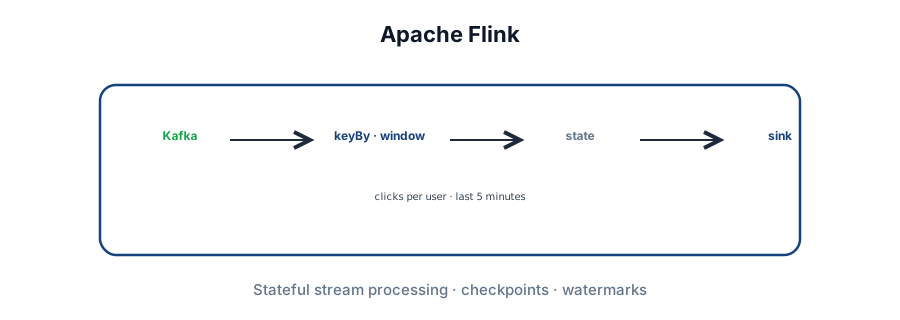
Why Flink
Many system design problems involve stream processing. Before you commit, ask whether batch (Spark, etc.) is enough — your future teammates will thank you. When you do need stateful real-time aggregation, windowing, and fault tolerance, Flink is the usual answer after Kafka.
This deep dive covers how you use Flink in an interview (sources, operators, windows, sample jobs) and how it works at a high level (JobManager, state backends, checkpoint barriers) so you can defend the design.
Sources · operators · sinks.
State · windows · watermarks.
JobManager · checkpoints.
Overkill for map-only ETL.
From simple to stateful
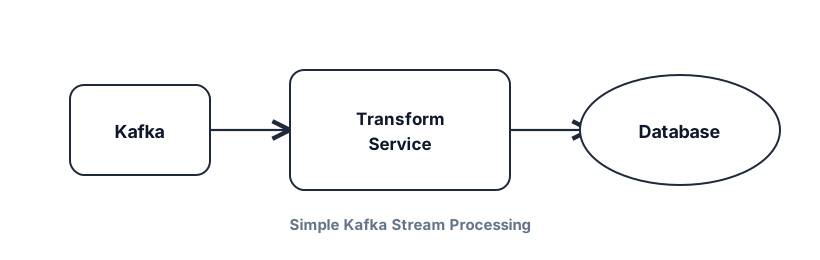
Easy: read clicks from Kafka, reformat, write to a database — a stateless consumer service is fine. No Flink required.
Hard: count clicks per user in the last 5 minutes. That window introduces state — each message can't be processed alone. Roll your own and you inherit:
- Crash recovery — in-memory counters die; replaying Kafka is slow and expensive.
- Scale-out — adding instances means reshuffling state — failure-prone choreography.
- Late / out-of-order events — skew accuracy of the 5-minute counts.
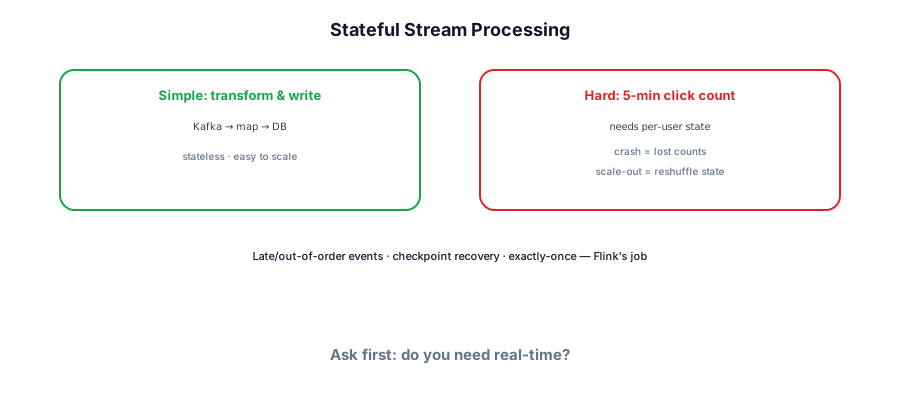
Flink exists so you don't reinvent that choreography for every stateful stream job.
Basic concepts
Flink is a dataflow engine: a directed graph where operators (nodes) transform streams (edges). Entry nodes are sources; exit nodes are sinks. You define the graph; Flink schedules execution.
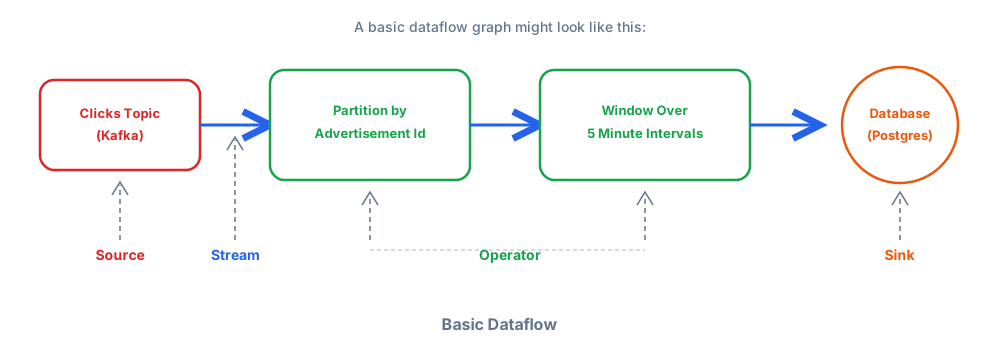
Sources and sinks
Sources pull from Kafka, Kinesis, files, or custom connectors. Sinks write to Postgres, MongoDB, warehouses (Snowflake/BigQuery/Redshift), Kafka, Elasticsearch, S3/HDFS. Interview designs almost always start from Kafka — partitions already force you to think about keys and parallelism.
Flink can run batch jobs, but don't lead with that in interviews — less familiar to interviewers and harder to defend as optimal.
Streams
A stream is an unbounded sequence of elements — not a Kafka log with offsets. Durability inside Flink comes from checkpoints, not stream persistence.
{
  "user_id": "123",
  "action": "click",
  "timestamp": "2024-01-01T00:00:00.000Z",
  "page": "/products/xyz"
}
Operators
Stateful transforms: map, filter, flatMap, keyBy, reduce, window, join, aggregate. Unlike MapReduce batches, Flink processes records one at a time in a streaming fashion.
DataStream<ClickEvent> clicks = /* from Kafka */;

clicks
  .keyBy(event -> event.getAdId())
  .window(TumblingEventTimeWindows.of(Time.minutes(5)))
  .reduce((a, b) -> new ClickEvent(
      a.getAdId(), a.getCount() + b.getCount()));
// → aggregated click counts per ad every 5 minutesState
Operators are stateful — they remember prior events (counts, session buffers, fraud velocity). Flink must own that state so it can checkpoint and restore on failure or scale-out.
- Value State — one value per key
- List State — list per key
- Map State — map per key
- Aggregating / Reducing State — incremental aggregates
public class ClickCounter extends KeyedProcessFunction<String, ClickEvent, ClickCount> {
  private ValueState<Long> countState;

  @Override
  public void open(Configuration config) {
    countState = getRuntimeContext().getState(
        new ValueStateDescriptor<>("count", Long.class));
  }

  @Override
  public void processElement(ClickEvent event, Context ctx, Collector<ClickCount> out)
      throws Exception {
    Long count = countState.value();
    if (count == null) count = 0L;
    count++;
    countState.update(count);
    out.collect(new ClickCount(event.getUserId(), count));
  }
}Watermarks and windows
Events arrive out of order — network delay, partition skew, source lag. A watermark flows with the stream and declares: "all events with event time ≤ T have arrived (within our bound)." You might learn that 5:00pm is complete at 5:01:15 — enough grace for late 4:59 events.
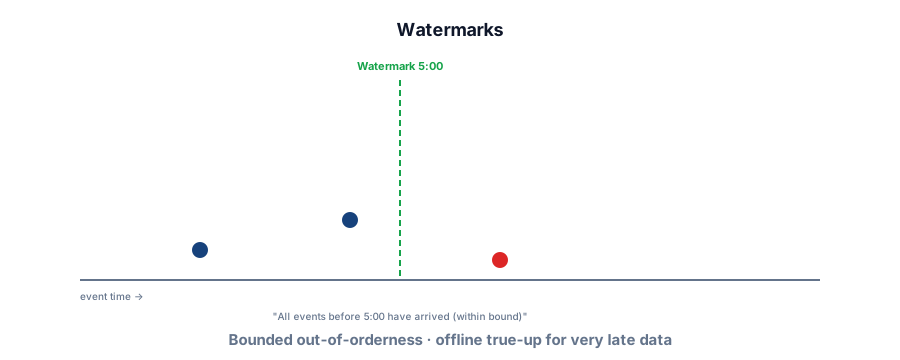
- Bounded out-of-orderness — wait up to N time after event timestamp (common default).
- No watermarks — process as data arrives (processing time); no late-event wait.
transactions.assignTimestampsAndWatermarks(
  WatermarkStrategy
    .<Transaction>forBoundedOutOfOrderness(Duration.ofSeconds(10))
    .withTimestampAssigner((event, ts) -> event.getTimestamp())
);Windows group stream elements for aggregation. Choice affects accuracy, cost, and emit frequency. With keyBy, each key keeps independent windows. Configure allowed lateness for events after window close.
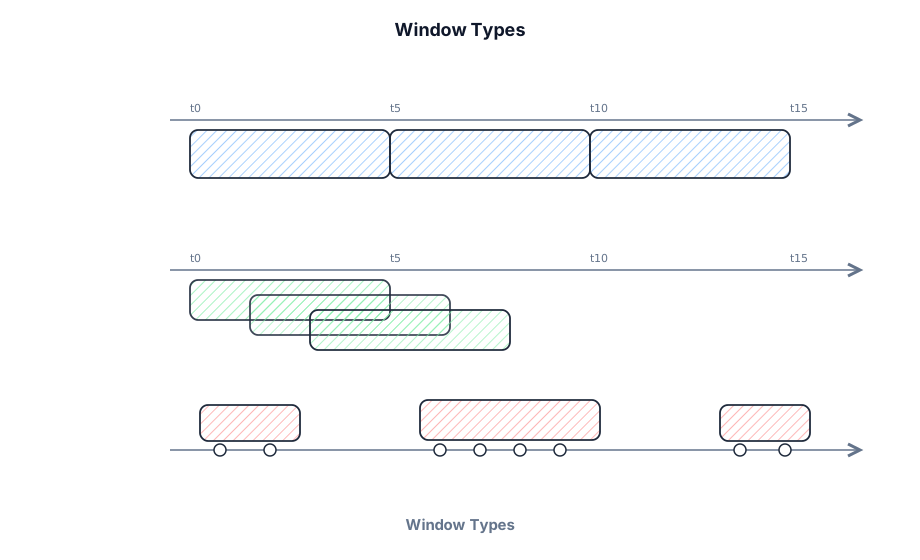
- Tumbling — fixed, non-overlapping (emit once per period).
- Sliding — fixed size, overlapping slides (emit more often; more cost).
- Session — dynamic gaps in activity.
- Global — custom trigger logic.
Reason backwards from requirements: pick the cheapest window that meets accuracy. A 5-minute tumble emits once per 5 minutes; a 5-minute slide with 1-minute step emits every minute.
Basic use
Defining a job
Start from StreamExecutionEnvironment: source → transformations → sink → execute.
StreamExecutionEnvironment env = StreamExecutionEnvironment.getExecutionEnvironment();

DataStream<ClickEvent> clicks = env.addSource(
    new FlinkKafkaConsumer<>("clicks", new ClickEventSchema(), properties));

DataStream<WindowedClicks> windowed = clicks
    .keyBy(ClickEvent::getUserId)
    .window(TumblingEventTimeWindows.of(Time.minutes(5)))
    .aggregate(new ClickAggregator());

windowed.addSink(new ElasticsearchSink.Builder<>(esConfig).build());

env.execute("Click Processing Job");
On execute(): Flink builds a JobGraph → submits to JobManager → tasks distributed to TaskManagers → workers process partitions of the data.
Redis dashboard
1-minute tumbling windows on page views → Redis for a live dashboard. Same primitives, flexible sinks.
DataStream<PageViewCount> pageViews = clickstream
    .keyBy(ClickEvent::getPageId)
    .window(TumblingProcessingTimeWindows.of(Time.minutes(1)))
    .aggregate(new CountAggregator());

pageViews.addSink(new RedisSink<>(redisConfig, new PageViewCountMapper()));
Fraud detection (one job)
Watermarks + keyed enrichment + sliding velocity windows + CEP (small tx then large tx) → union/dedupe alerts → Kafka + Elasticsearch. Whole system design in one Flink job.
// Velocity: 3+ txs over $1000 in 30 min (5-min slide)
DataStream<VelocityAlert> velocityAlerts = enriched
    .keyBy(EnrichedTransaction::getAccountId)
    .window(SlidingEventTimeWindows.of(Time.minutes(30), Time.minutes(5)))
    .process(new VelocityDetector(3, 1000.0));

// CEP: small then large within 5 minutes
Pattern<EnrichedTransaction, ?> fraudPattern =
    Pattern.<EnrichedTransaction>begin("small-tx")
      .where(tx -> tx.getAmount() < 10.0)
      .next("large-tx")
      .where(tx -> tx.getAmount() > 1000.0)
      .within(Time.minutes(5));

DataStream<PatternAlert> patternAlerts = CEP.pattern(
    enriched.keyBy(EnrichedTransaction::getCardId), fraudPattern)
    .select(new PatternAlertSelector());

DataStream<Alert> allAlerts = velocityAlerts.union(patternAlerts)
    .keyBy(Alert::getAlertId)
    .window(TumblingEventTimeWindows.of(Time.minutes(5)))
    .aggregate(new AlertDeduplicator());

allAlerts.addSink(new FlinkKafkaProducer<>("alerts", new AlertSerializer(), kafkaProps));
allAlerts.addSink(ElasticsearchSink.builder(esConfig).build());How Flink works
Flink targets exactly-once internal processing with high throughput. Architecture: one active JobManager (schedule, checkpoints, failover; HA via ZooKeeper leader election) and TaskManagers (execute tasks in slots).
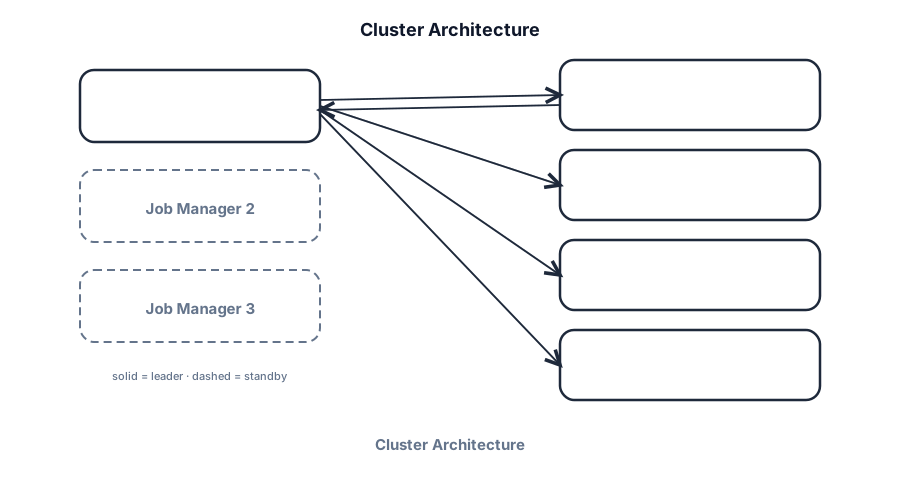
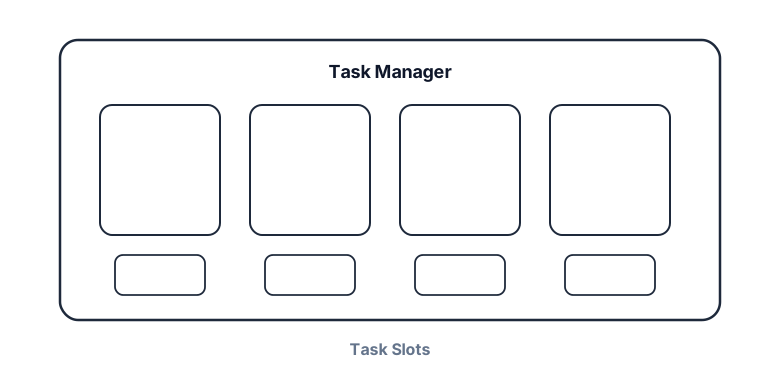
Task slots are the unit of parallelism (often one per core). Operators of the same job share a TaskManager; slots isolate memory and control parallel instances. Non-DE interviews: knowing JobManager vs TaskManager is enough — skip cluster admin deep dives.
Checkpointing (Chandy-Lamport style)
JobManager injects checkpoint barriers into sources. Barriers flow with data. When an operator receives barriers from all inputs, it snapshots state to the backend. When every operator finishes, the checkpoint is complete.
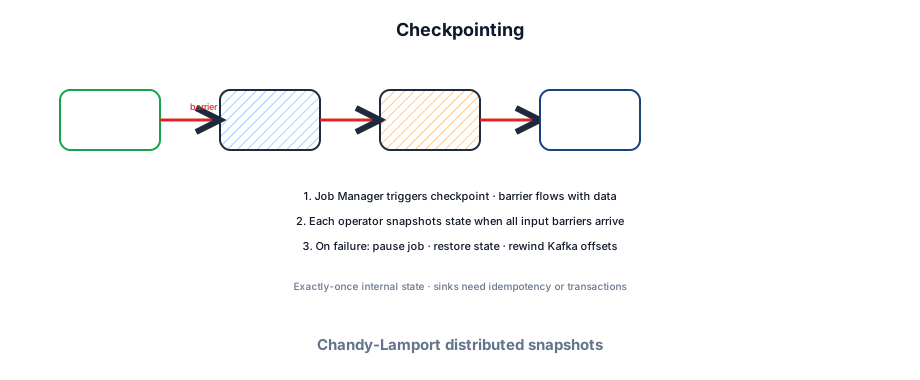
Recovery steps
- JobManager detects TaskManager heartbeat loss.
- Entire job pauses (consistency unit = whole job).
- Restore latest checkpoint from state backend.
- Redistribute tasks to healthy TaskManagers.
- Each task restores operator state.
- Sources rewind (Kafka offsets — need enough retention).
- Resume — exactly-once for internal state.
Flink in an interview
When to use it
- Stateful aggregations over unbounded streams (metrics, fraud, live dashboards).
- Event-time windows with late data and checkpointed recovery.
- Complex stream joins or CEP patterns in one job.
When not to
- Trivial map/filter from Kafka — a consumer service is enough.
- Batch analytics — Spark is the familiar choice.
- Interviewer unfamiliar with Flink — explain at high level or use simpler components.
- You don't need exactly-once — accept at-least-once + idempotent sinks for simplicity.
- Ops budget can't support a Flink cluster (deploy, monitor, scale, state growth).
- Justify window type from accuracy vs cost.
- Name state backend (heap vs RocksDB) and checkpoint storage.
- Call out watermark bound + offline true-up for late data.
- Don't model every pipeline as Flink — complexity tax is real.
Lessons without Flink
- Separate event time from processing time.
- Watermarks for progress through unordered streams.
- Local state + periodic snapshots for recovery.
- Slot-based resource isolation.
- Barrier-style coordinated snapshots for exactly-once internals.
If you must design streaming without Flink, treat these as your north star.
Cost and performance levers
True streaming when it matters
Failure modes to mention
TaskManager loss (checkpoint restore + Kafka rewind), checkpoint backlog (S3/network), watermark stall (upstream lag), state blow-up (missing TTL). Mitigate with alerts on checkpoint duration, lag, and RocksDB size.
Interview Q&A by level
Match depth to the bar: define → trade off → operate.
Wrapping up
Flink is the power tool for stateful stream processing — not the default for every Kafka consumer. Use it when windows, state, and exactly-once recovery are core requirements and you've ruled out batch. Even when you don't use Flink, borrow its ideas: event time, watermarks, and coordinated snapshots.
Compare with Apache Kafka, Spark Structured Streaming (micro-batch alternative), Spark (batch), Message queues, Elasticsearch (common sink), and Key technologies.