What interviewers actually want
Data modeling is deciding how your application’s data is structured, stored, and related — what entities exist, how they’re identified, and how they connect. In a system design interview the bar is lower than a dedicated data-modeling round. You’re not expected to normalize everything or produce a complete schema diagram. You’re expected to design something clear, functional, and aligned with the requirements you just agreed on.
Entities in requirements · schema sketch in HLD.
Postgres unless the prompt forces otherwise.
Volume · access patterns · consistency.
Keys · FKs · indexes · shard only if needed.
A reasonable schema is more than box-drawing. It sets up scaling reads and writes, consistency where it matters, and growth or audit questions without backtracking. A sloppy model forces painful rewrites mid-interview. A solid “good enough” one keeps the conversation on the hard parts.
Pick a database model (without showing off)
Before you design a schema, pick what kind of database you’re working with. The model shapes how you structure data, so this choice affects everything that follows.
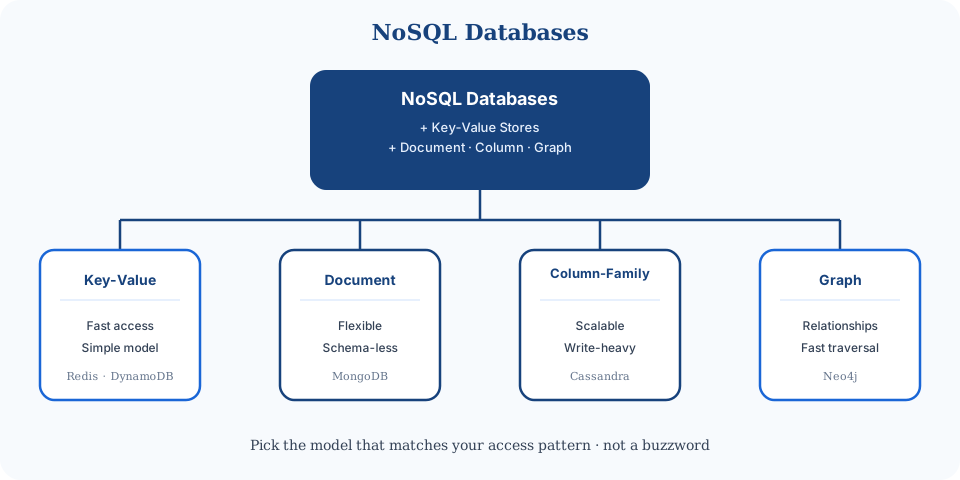
The temptation is to look sophisticated with an exotic store. Resist it. Most of the time the right answer is relational — specifically PostgreSQL unless you have strong, experience-backed reasons otherwise. Knowing when Mongo, Redis, Cassandra, or Neo4j earn a seat shows trade-off thinking. The star of the show is still SQL.
Database models — pick one, then go deep
Default to Postgres. Reach for another model only when you can name the access pattern or scale pressure that forces it — then open the linked deep dive, don't re-learn the whole database here.
| Model | When to pick it | Deep dive |
|---|---|---|
| Relational (SQL) | Default — transactions, joins, clear relationships | PostgreSQL |
| Document | Deep nesting, evolving shapes, one-doc reads | MongoDB |
| Key-value / wide-column | Single-key lookups, extreme writes, time-series | DynamoDB · Cassandra |
| Cache layer | Hot reads — sits in front of primary DB | Redis |
| Graph | Rare in interviews — multi-hop traversal only | Skip unless asked |
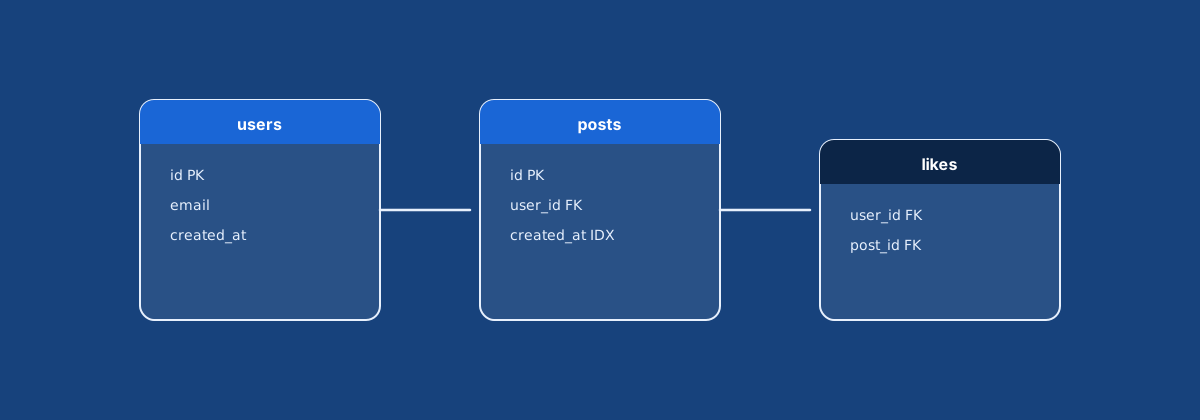
users
  id PK | username | email | created_at

posts
  id PK | user_id FK → users.id | content | created_at

likes
  user_id FK | post_id FK | created_at
-- composite PK (user_id, post_id) for N:MThree drivers: volume, access, consistency
Once you’ve picked a store, schema design follows three factors you already touched in requirements and API design.
- Data volume — where data can physically live. Millions of users may push different domains onto different stores; then schemas must reference each other carefully.
- Access patterns — the most important driver. “Recent posts by followed users” wants indexes or denormalization. Analytics across time may need different structures. Ask: what query does each endpoint need?
- Consistency — how tightly coupled data can be. Payments want ACID in one place. A like count can be eventually consistent and live elsewhere.
Entities, keys, normalization, indexes, and sharding are tools for those three factors — not decorations for the whiteboard.
Entities, keys, and relationships
Map core entities to tables (or collections) with stable identifiers.
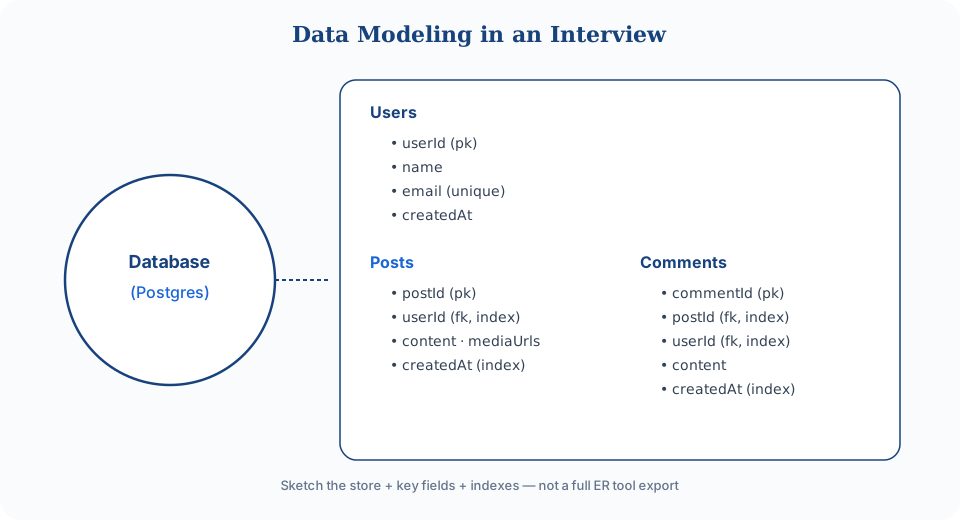
users:    id (PK), username, email
posts:    id (PK), user_id (FK → users.id), content, created_at
comments: id (PK), post_id (FK → posts.id), user_id (FK → users.id), content
likes:    user_id (FK), post_id (FK)   -- composite PK for N:M
Prefer system-generated IDs (user_id, post_id) over business fields like email as primary keys. Business rules change; synthetic keys stay stable.
- 1:N — user has many posts; post has many comments.
- N:M — users like posts (junction / composite key).
- 1:1 — rare; often a signal two tables should be one.
SQL enforces relationships with foreign keys; NoSQL usually relies on application logic. Foreign keys prevent orphans (comment pointing at a deleted post) and cost write-time validation. At extreme scale some teams drop FKs and enforce integrity in the app — mention that trade-off if you propose dropping them, don’t just omit them silently.
Layer constraints where they protect correctness: UNIQUE email, NOT NULL prices, CHECK positive amounts. They add write overhead; use them on fields that must never be wrong.
Name domain nouns — users, posts, follows — then show how PKs, FKs, and constraints keep that model correct. Don’t hide behind abstract “Entity A / Entity B.”
Index for access patterns
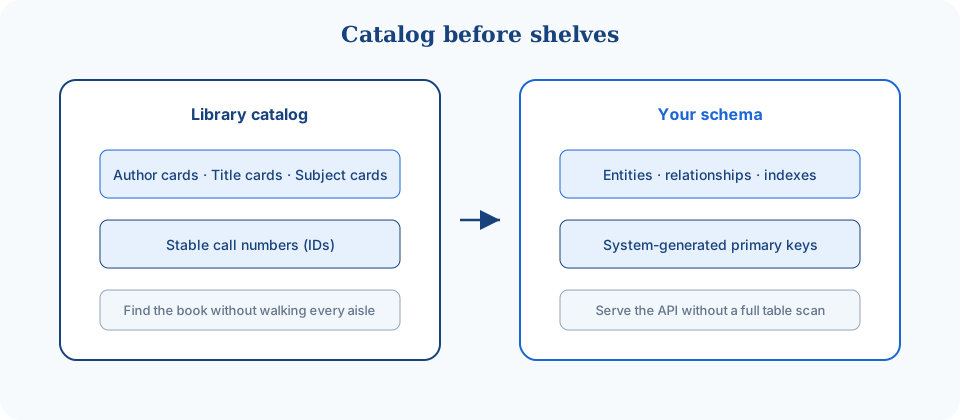
Indexes let the database find rows without scanning the table — like a catalog entry that points to the shelf. On the whiteboard, call out which columns are indexed and why.
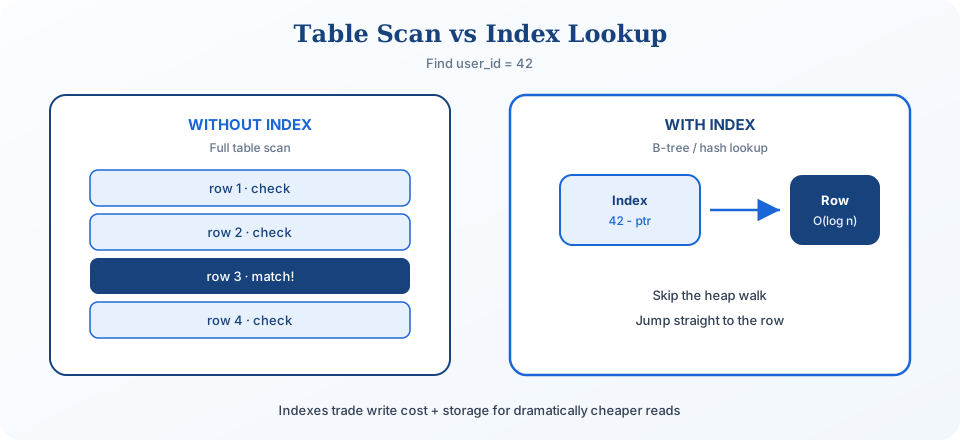
- Index
posts.user_id— all posts by a user. - Index
posts.created_at— recent posts chronologically. - Composite
(user_id, created_at)— a user’s recent posts in one lookup.
Deeper B-tree vs hash vs LSM vs geospatial vs full-text: Database indexing for system design interviews. In the interview, index the hot endpoints and move on.
Normalization vs denormalization
Normalization stores each fact in one place. User email lives in users, not copied onto every post. That prevents update anomalies — change once, stay consistent.
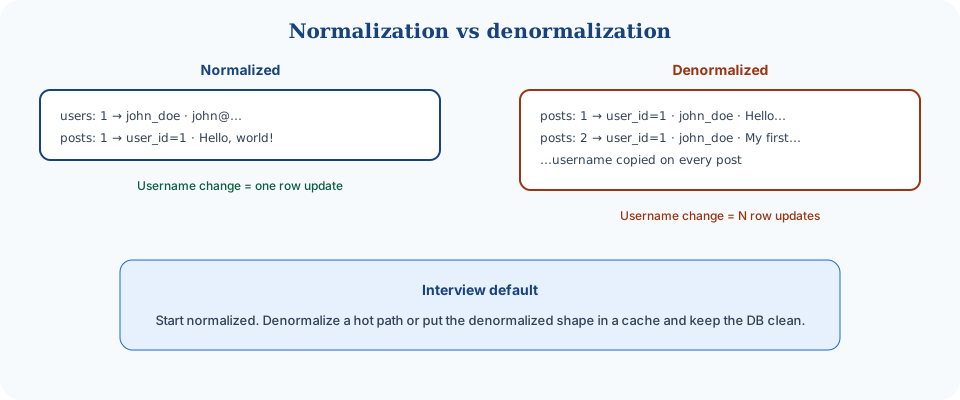
In interviews: start normalized, denormalize only when a named read path needs it. Blind duplication creates consistency bugs that are harder than the latency problem you were solving.
- Sensible denorm — analytics snapshots, immutable event logs, search indexes where staleness is acceptable.
- Often better — keep the DB normalized and put the denormalized shape in a cache (precomputed join or aggregate) with TTL/invalidation.
- Example —
like_countonpostsfor feed latency, with the like edge still inlikes.
Scaling and sharding
When one database can’t hold the data or write load, you shard across machines. The hard part is the partition key — it should keep related data together for your primary access pattern. Deep dive: Sharding for system design interviews.
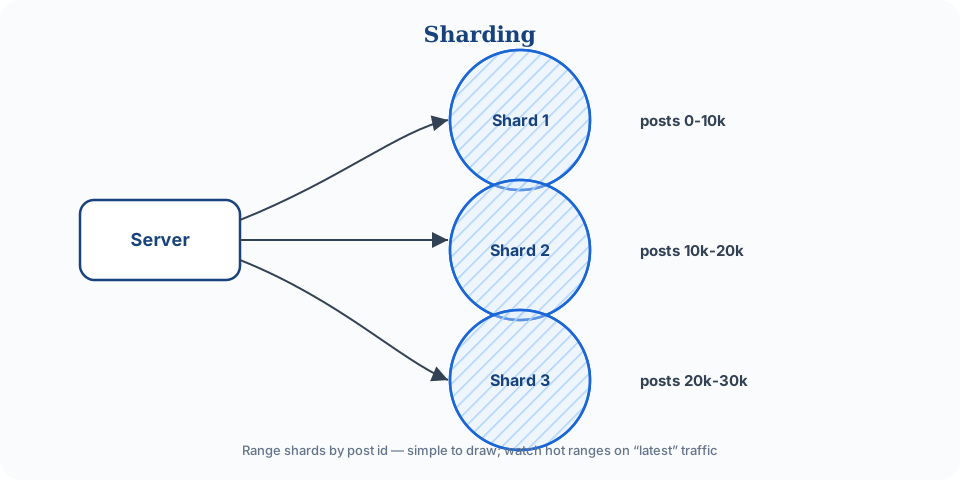
- Default — if you mostly read “posts by user,” shard by
user_idso one user’s posts stay on one shard. - Anti-pattern — time-range shards for write-heavy live traffic (today’s shard becomes a hotspot). Time partitioning fits archives/analytics better.
- Cost — cross-shard timeline merges (followed users on many shards) are expensive; say that trade-off when you propose the key.
Shard keys are sticky. Choose them from access patterns, not vibes. Premature sharding trades one busy primary for routing, rebalancing, and cross-shard pain — often before you need it.
Whiteboard checklist
Data modeling is core to the interview, but it’s not the focus. Show a schema that supports the requirements, then move on.
- Name core entities early (requirements).
- Pick the database type (default Postgres).
- List columns needed for the functional requirements.
- Mark primary and foreign keys for each relationship.
- Index columns that back your main API queries.
- Denormalize only for a named performance need (or push that shape into a cache).
- Consider sharding only if the napkin says one store can’t hold it — then pick a key that matches the main access pattern.
Next: wire this to API design, then harden with caching and scalability when the numbers demand it.
Cost and performance levers
Modeling workshop: rideshare trip
Normalization vs denormalization decision
| Choose | When |
|---|---|
| Normalize | Write-heavy, consistency-critical facts |
| Denormalize | Read-heavy, join-expensive timelines |
| Hybrid | OLTP normalized + read models / caches |
Failure modes to mention
Call out at least one dependency failure (DB down, cache stampede, queue lag, region outage) and your mitigation (timeouts, retries with jitter, degraded mode, circuit breaker).
Interview Q&A by level
Practice saying these out loud for data modeling. Interviewers grade clarity and judgment more than buzzwords.
Match depth to the bar: define → trade off → operate. Don't dump principal answers in an entry-level screen.
How to answer this in a backend interview
Queries drive schema — not ER purity
Core nouns + relationships you'll actually join
Write simplicity vs read locality
Stable keys; avoid business keys as PKs
Say how migrations / dual-write would look
I'd start from the top queries, not from a perfect third-normal-form diagram. Name the entities that own writes — users, listings, orders — then decide what is joined at read time versus denormalized for the hot path. I'd pick stable surrogate IDs and keep business identifiers unique but not primary. For interviews I'll show one normalized core and one intentional denorm (like embedding a display name on a feed item), and call out the consistency cost when the source changes.
Related Lattice posts: Database indexing · PostgreSQL · DynamoDB · Sharding